Showing posts with label SRSULearns. Show all posts

Tuesday, November 8, 2022

Digital Citizenship

Image credit (Berman et al., 2020)

Image credit (Berman et al., 2020)


What is Digital Citizenship?

Mike Ribble describes "digital citizenship" as "the norms of appropriate, responsible behavior with reference to the use of technology" in the book that he authored titled "Digital Citizenship in Schools." Although having excellent citizenship and having digital citizenship go hand in hand, there are certain variations between the two. The primary distinction is in the feature of having a face-to-face conversation with a person (Bearden, 2016). The anonymity afforded by social media apps may give some the impression that principles of ethics no longer apply. It is critical to understand the elements that complicate digital citizenship (Bearden, 2016).

Internet Safety

Students should learn about internet safety, which encompasses how to manage any unpleasant online circumstances, such as exposure to explicit content, online bullying, and unwanted advances from random people on social media (Bearden, 2016).

It is crucial to teach kids how to weigh the benefits of using the Internet against the hazards, including the opportunity to work with others outside of the classroom, produce and distribute information, and have their opinions heard by others other than their peers and teachers (Bearden, 2016).

Privacy and Security

A key life skill is having a thorough awareness of online privacy and security. The fundamentals of online security and how to protect one's personal information must therefore be taught. The operation of targeted marketing and the dangers to students' privacy posed by related information gathering must be explained to them (Bearden, 2016). They should be aware of the significance of personalizing privacy controls and how to use privacy controls on mobile devices and web browsers (Bearden, 2016). They require specific instructions on how to comprehend privacy rules and how to remove third-party sharing (Bearden, 2016). By making our children aware of the privacy dangers associated with using mobile apps and the online, we give them the power to make informed decisions (Bearden, 2016).

Relationships and Communication

The absence of body language makes it easy for written words to be misunderstood, and individuals say things online — especially when they are anonymous — that they would never say in person (Bearden, 2016). It is important to actively teach students conflict management and how to politely and professionally communicate when using email, text messages, or other interactive media (Bearden, 2016).

Relational and communicative digital citizenship can be an effective means of establishing and maintaining connections with people all over the world. Virtual meeting rooms, video conferencing software, and other online resources have made it easier than ever to have face-to-face conversations with people all over the world (Bearden, 2016).

Digital Footprints and Reputation

A digital footprint is data about a particular individual that is online because of that person's online activities. It is essential to keep in mind that social media can help you generate both a positive and bad digital footprint. It is crucial to demonstrate children how digital media may help them promote their achievements in school, work, projects, and community service (Bearden, 2016).

Self-Image and Identity

Young people are often inspired by the lives of celebrities they see on social media and may want to emulate those people's appearance, personality, or behavior (Bearden, 2016). Because of this, many kids make poor decisions or engage in hazardous behaviors. This highlights the significance of teaching students how to build up good reputations and relationships in the virtual world (Bearden, 2016).

Information Literacy

Learners in today's world need to have information literacy since it fosters diverse ways of approaching problems and improves thinking abilities. Because not everything that is on the internet is factual, teachers have a responsibility to educate their learners criteria for evaluating and ranking the sources of content found online (Bearden, 2016).

Creative Credit and Copyright

Teachers should instruct students in the usage of both public domain and Creative Commons licensed work to help them better grasp when and how to use conventionally copyrighted materials under fair use principles (Bearden, 2016). (With Creative Commons, authors can grant broad permission to share their work with the public under certain stipulations.) Understanding their rights as content creators and knowing how to use Creative Commons to license their own works is an important skill that should be taught to students (Bearden, 2016). Plagiarism (whether intentional or otherwise) is now as easy as pressing a button, making it more important than ever for teachers and students to know their rights and those of others in the digital age (Bearden, 2016). Understanding creative credit and copyright is an essential ability in the world today because of the ethical and legal implications (Bearden, 2016).

Now that you know the fundamentals of good digital citizenship, how well-versed do you believe yourself to be in the eight sub-fields described above?


Resources

Bearden, S. (2016). Digital Citizenship: A community-based approach. Corwin/A SAGE Publishing Company.

Berman, J., Hinduja, S., Sohn, D., & Tynes, B. (2020, March 5). Strategies for encouraging ethical digital citizenship: Can it be taught? State of the Net. Retrieved November 8, 2022, from https://www.stateofthenet.org/strategies-for-encouraging-ethical-digital-citizenship-can-it-be-taught/

Couros, A. (2015, March 17). Identity in a Digital World: Alec Couros: Tedxlangleyed. YouTube. Retrieved November 8, 2022, from https://youtu.be/pAlIBTgYfDo

Ribble, M. (2015). Digital citizenship in schools: Nine elements all students should know. International Society for Technology in Education.


Thursday, November 3, 2022

Digital Literacy and Digital Citizenship

Image credit Educlario


Youth in today's society take in vast quantities of information from a variety of media venues, while at the same time concurrently producing and disseminating their own messages through the use of digital technology (Berson & Berson, 1970). As a result of the rapid influx of technology and Internet access into schools, the best approach to protect pupils from being exposed to violent, racist, and sexual content, and other detrimental messages, is through education (Berson & Berson, 1970).

The goal of digital literacy is to teach students the abilities they need to use the Internet and other information technologies to find, process, and evaluate all kinds of information and communication (Berson & Berson, 1970). This includes having an awareness of other viewpoints or perspectives, having the analytical and critical thinking skills to assess the reliability of information, having access to a variety of information sources, and having experience in digital contexts (Berson & Berson, 1970). These ideas serve as descriptions of good citizenship. The term "digital citizenship" refers to all of the same topics that are included in "digital literacy," however, it also integrates the idea of safety into the conversation.

Students do not necessarily apply their capacity for critical thinking to the activities they engage in on digital devices (Berson & Berson, 1970). Many young people are distracted from practicing respect, accountability, honesty, fairness and equality, compassion, and moral responsibility across a variety of contexts as a result of the contrived differences between the regulations for digital activities and experiences in reality (Berson & Berson, 1970).

With the occurrence of the pandemic, there is greater emphasis on instructors to teach digital citizenship and Ribble’s (2015) nine elements of digital citizenship.

1.       Digital Law - The concept of "improper behavior" and "violation of actual laws" is central to the study of digital law, which seeks to define the parameters of both concepts (Curran & Ribble, 2017).

2.       Digital Security - strategies, norms, and processes that people use to ensure that their Internet use does not negatively impact other aspects of their lives, so teaching good passwords, managing infection, and deciding on cybersecurity are all significant components (Capuno et al., 2022).

3.       Digital Etiquette - Interacting and participating with civility to the extent that they clarify their reasons when disagreeing online, avoid online confrontations, and comply to mobile phone limitations. Digital residents are well-mannered online (Capuno et al., 2022).

4.       Digital Literacy - refers to the skill to use computers and technology to take part in the digital world (Curran & Ribble, 2017).

5.       Digital Communication – refers to appropriate exchange of information received through technology (Capuno et al., 2022).

6.       Digital Access - the idea that everyone should have equal access to technology resources that allow people with disabilities to take part in society in a normal way (Capuno et al., 2022).

7.       Digital Commerce – refers to the importance of teaching people about safe ways to pay and about websites that keep their information safe (Capuno et al., 2022).

8.       Digital Health and Wellness – means teaching safe ergonomic techniques to avoid physical problems like constant eyestrain, bad posture, pain, numbness, and other nerve-related problems that can come from using a computer (Capuno et al., 2022).

9.       Digital Rights and responsibilities – refer to the rules and freedoms that everyone has in the digital world. Teachers need to help students understand what is and isn't okay, because everyone who uses digital technology is responsible for what they do online (Capuno et al., 2022)


Resources

Berson, I. R., & Berson, M. J. (2003). Digital literacy for effective citizenship. (Advancing Technology). Social Education, 67(3), 164+. https://link.gale.com/apps/doc/A100735002/AONE?u=acd_aone&sid=googleScholar&xid=e46fd1f1

Ribble, M. (2015). Digital citizenship in schools (3rd ed.). Eugene, OR: International Society of Technology in Education.

Curran, M. X., & Ribble, M. (2017). P-20 model of digital citizenship. New Directions for Student Leadership, 2017(153), 35–46. doi:10.1002/yd.20228

Capuno, R., Suson, R., Suladay, D., Arnaiz, V., Villarin, I. & Jungoy, E. (2022). Digital citizenship in education and its implication. World Journal on Educational Technology: Current Issues. 14(2), 426-437. https://doi.org/10.18844/wjet.v14i2.6952

Monday, July 25, 2022

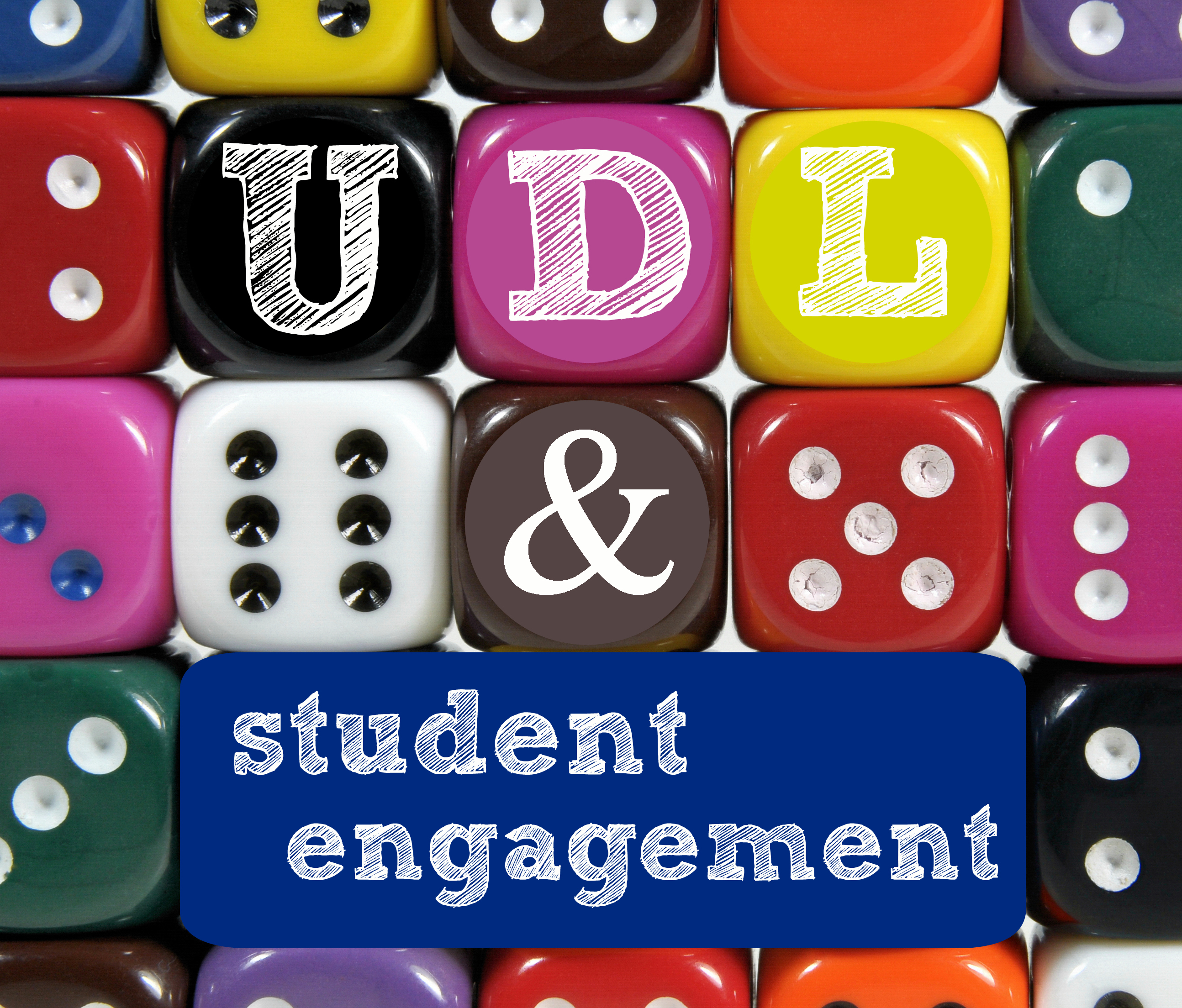
Universal Learning Design (UDL) Engagement Principle


Image (Brookes, 2021)

Universal Learning Design (UDL)

There is a considerable chance that you have encountered universal design in your daily life, even if you are not familiar with the term. Automatic doors, closed captioning, accessible building infrastructure, and curb cuts that allow wheelchairs to pass are a few examples of universal design. Even though these designs are helpful to people with disabilities, they may also be useful to people without impairments (Morra & Reynolds, 2010).

Utilizing three main principles that offer numerous opportunities for engagement, representation, and action and expression, the universal design for learning framework offers educators a variety of strategies and resources to assist in giving a diverse group of students an equal opportunity to succeed.

In this blog, we'll concentrate on the principle of engagement, and I'll offer three instructional tools that teachers can utilize to enhance student involvement while adhering to the UDL standards.

Engagement Principle

The principle of engagement in UDL has three levels of guidelines that include recruiting interest (RI), sustaining effort and persistence (SEP), and self-regulation (SR).

Recruiting Interest (RI)

The educator should offer the appropriate kind of options for achieving a goal when attracting interest. Giving students a level of autonomy can help them become more self-reliant, experience more pride in their accomplishments, and feel more connected to their study (CAST, 2021). Lessons and activities should maximize relevance, value, and authenticity to engage students in order to recruit all learners equitably (CAST, 2021). In order to create a safe environment in which learning can take place, teachers must first construct a welcoming and encouraging classroom that gives options that lessen risks and harmful distractions for everyone (CAST, 2021).

AnswerGarden

Anyone interested in adopting a quick and effective method to gather group comments can use AnswerGarden. It can be used for online brainstorming, live audience interaction, and classroom feedback. Teachers use AnswerGarden to gauge their students' proficiency with a particular subject. It is employed in conferences and workshops as a playful and interactive icebreaker with the audience (Creative Heroes, 2022).


Sustaining Effort and Persistence (SEP)

To help people maintain effort and focus in the face of distractions, it's vital to incorporate recurring or continuous "reminders" of the goal and its importance (CAST, 2021). All students can find tasks that are highly motivating by being given a variety of demands and resources (CAST, 2021). Peer cooperation can greatly improve perseverance and sustained effort when it is correctly designed (CAST, 2021). Greater diversity and various responsibilities are made possible by flexible grouping, which also offers opportunity to practice cooperating with others to the fullest. Feedback that is pertinent, constructive, accessible, significant, and timely is most effective at maintaining engagement (CAST, 2021).

Kaizena

A Google Docs add-on called Kaizena provides writing-related feedback for students. With Google Classroom and Docs, teachers who no longer use paper have more alternatives for feedback, including the possibility to leave audio comments using the Google Chrome extension (Meyers, 2020).


Self-Regulation (SR)

Each learner has a personal understanding of what motivates them. This is known as self-regulation. To achieve this, students must be able to set personal objectives that are genuinely attainable and cultivate the idea that their goals can be achieved (CAST, 2021). Long-term apprenticeships with scaffolding will be necessary for students to learn self-regulatory skills. Furthermore, it is crucial that students have access to a variety of self-assessment models and scaffolds so they can recognize and select the best ones (CAST, 2021).

myASL Quizmaker

Using American Sign Language (ASL) as their primary form of communication, deaf, hard-of-hearing, and other special needs children, teens, and adults can benefit from myASL Quizmaker's innovative software (IDRT, 2022). With the help of this software, a user (such as a teacher) can design unique tests, exams, and quizzes with automatic ASL graphic and video translations, give them to their students, get immediate scoring and data analysis, produce reports, and give each student their academic results and corrected quizzes. This assistive technology's English-to-ASL translation features a dictionary of more than 30,000 English words, phrases, idioms, numbers, and symbols (IDRT, 2022).


Resources

Brookes. (2021, July 22). 7 budget-friendly ways to promote student engagement: A UDL Post. Brookes Blog. Retrieved July 25, 2022, from https://blog.brookespublishing.com/7-budget-friendly-ways-to-promote-student-engagement-a-udl-post/

CAST. (2021, October 15). The UDL guidelines. UDL. Retrieved July 25, 2022, from https://udlguidelines.cast.org/

Creative Heroes. (2022). Answergarden ". AnswerGarden. Retrieved July 25, 2022, from https://answergarden.ch/about-AnswerGarden/

IDRT. (2022). myASLQuizmaker. About myasl quizmaker. Retrieved July 25, 2022, from https://www.idrt.com/aboutQuiz.php

IDRT. (2019, November 25). MyASLTech overview. YouTube. Retrieved July 25, 2022, from https://youtu.be/V3wl55_bIqI

Johnson, M. (2015, March 4). March madness minute #4 answergarden.ch. YouTube. Retrieved July 25, 2022, from https://youtu.be/_vR8HoUWL-A

Kaizena. (2018, June 29). Kaizena in 2 minutes. YouTube. Retrieved July 25, 2022, from https://youtu.be/tj--iDSds4Q

Meyers, A. (2020, August 25). Kaizena review for teachers. Common Sense Education. Retrieved July 25, 2022, from https://www.commonsense.org/education/website/kaizena


Sunday, July 24, 2022

Why the Universal Design for Learning is (UDL) Important


(Campbell, 2015)


What is UDL?

Even if you are unfamiliar with universal design, there is a good possibility that you have come across it in your daily life. Examples of universal design include automatic doors, closed captioning, accessible building infrastructure, and curb cuts that make it possible for wheelchairs to pass. Although these designs benefit those with disabilities, those without disabilities could find them useful as well (Morra & Reynolds, 2010).

The universal design for learning framework provides educators with a variety of strategies and resources to help give a diverse group of students an equal opportunity to succeed using three main principles that provide multiple means of engagement, representation, and action and expression.

SMART Board

2014 was when I started out as a teacher. The electronic whiteboard, sometimes known as a SMART board, immediately became familiar to me. Images, workbooks, and videos were primarily displayed using it. The children also used four desktop computers in the classroom for Renaissance reading as well as Star Fall, Prodigy, and Istation during center time.

SMART Board Plus

In 2018, I underwent some professional development that provided a basic explanation of a few new technology programs that may be used in the classroom. However, due to a lack of time and resources, the new technology program was never implemented in the classroom. I never used it; therefore, I can't recall the program. By including some interactive learning with the students, I expanded on how I used the SMART board. It was one of those instances where the teacher still maintained primary control over the whiteboard and the students only used technology when necessary. I would invite children to the board to write on it or choose an answer to a problem when we were working math or phonics. That kept them interested in a short while, but it rapidly grew monotonous because they knew they wouldn't be called again once they had taken their turn.

Five IPads and Twenty Plus Students        

A few months into the academic year, five iPads were distributed to each classroom. I could have added this to a learning center, but I didn't know how, and I preferred to prevent a dispute between students in the first-grade vying for their turn. Kahoot quizzes were the principal use for the iPads. We would play a Kahoot! game when I was a first-grade teacher. and the students would become so enthusiastic. The fact that my class was loud and boisterous made me aware of their level of engagement. The kids are usually interested and having fun when I utilize this tool to wrap up my financial aid presentations. I am most astonished to see how well so many students perform on the quiz, which indicates that they paid attention and took in the information.

Reflection

As they say, "Hindsight is 20/20," I consider my past experiences and what I've learned about the UDL framework, as well as how I may have become a better teacher. I will address the "why, what, and how" of improving the learning experience for all students in my subsequent chapter, which will focus on the three UDL principles.

How will I involve all learners with the technology at my disposal (CAST, 2021)? How will I maintain effort and motivation (CAST, 2021)? How will I promote self-regulation so that students develop coping skills, self-assessment, and reflection (CAST, 2021)? These are some of the questions I would think about when planning for engagement in a lesson.

 Resources

Campbell, S. F. (2015, February 3). Image from https://c2.staticflickr.com/4/3206/3030416930_d7555dcd9e.jpg. Flickr. Retrieved July 24, 2022, from https://www.flickr.com/photos/samuelfcampbell2003/16432765042

CAST. (2021, October 15). The UDL guidelines. UDL. Retrieved July 25, 2022, from https://udlguidelines.cast.org/

Morra, T., & Reynolds, J. (2010). Universal Design for Learning: Application for technology ... - ed. ERIC. Retrieved July 24, 2022, from https://files.eric.ed.gov/fulltext/EJ881564.pdf


The Climb

  Image by Ales Krivec from Pixabay Faith Over Fear This research course is something I've dreaded for a long time. High school ...